SwitchInlineQueryChosenChatButton
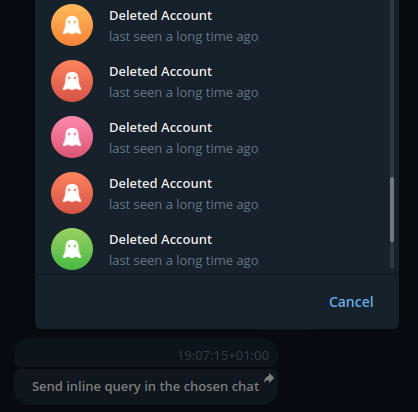
SwitchInlineQueryChosenChatButton is a single inline button that prompts the user to select one of their chats based on the specified scopes, opens the selected chat, and inserts the bot’s username and the given inline query into the input field.
The button requires a text label and query text. You can specify which chat types the user can select by using the following parameters: allow_user_chats, allow_bot_chats, allow_group_chats, allow_channel_chats.
Code example:
from aiogram_dialog.widgets.kbd import SwitchInlineQueryChosenChatButton
from aiogram_dialog.widgets.text import Const

switch_btn = SwitchInlineQueryChosenChatButton(
    text=Const("Send inline query in the chosen chat"),
    query=Const("inline query in the chosen chat"),
    allow_user_chats=True,
    allow_group_chats=True,
    allow_channel_chats=False,
)
Result:
Classes
- class aiogram_dialog.widgets.kbd.button.SwitchInlineQueryChosenChatButton(text, query, allow_user_chats=None, allow_bot_chats=None, allow_group_chats=None, allow_channel_chats=None, id=None, when=None, style=<aiogram_dialog.widgets.style.base.Style object>)
- Parameters:
text (TextWidget)
query (TextWidget)
allow_user_chats (bool | None)
allow_bot_chats (bool | None)
allow_group_chats (bool | None)
allow_channel_chats (bool | None)
id (str | None)
when (str | MagicFilter | Predicate | None)
style (StyleWidget)
- __init__(text, query, allow_user_chats=None, allow_bot_chats=None, allow_group_chats=None, allow_channel_chats=None, id=None, when=None, style=<aiogram_dialog.widgets.style.base.Style object>)
- Parameters:
text (TextWidget)
query (TextWidget)
allow_user_chats (bool | None)
allow_bot_chats (bool | None)
allow_group_chats (bool | None)
allow_channel_chats (bool | None)
id (str | None)
when (str | MagicFilter | Predicate | None)
style (StyleWidget)